Teacher coverage software for schools

Teacher Coverage — without the morning scramble.

CoverGrid™ helps school administrators assign teacher coverage, track staff responses, manage timetables, and generate coverage reports — without scattered spreadsheets, emails, or morning guesswork.

Built for K–12 schools, vice principals, office teams, and school boards. No student data required for standard coverage workflows.

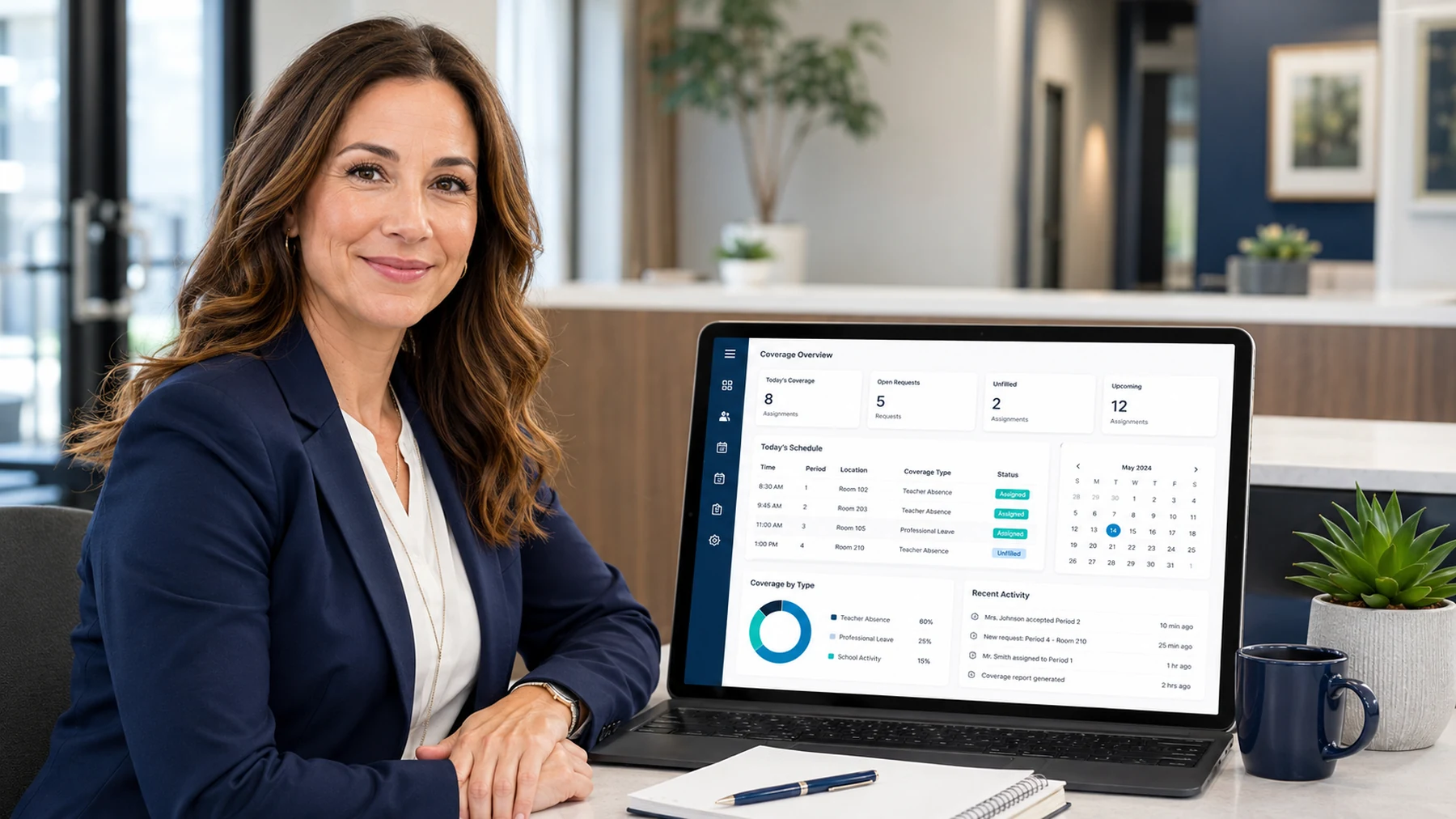
CoverGrid™ teacher coverage software dashboard shown on a laptop beside a school administrator
Designed for Vice Principals Office Staff School Secretaries Board Admin K–12 Schools

Teacher coverage is too important to manage with a spreadsheet.

When a teacher is absent, administrators need to know which classes require coverage, which staff are available, who has already covered recently, and whether the assignment has been accepted. A spreadsheet can record coverage, but it does not actively manage the workflow.

Common manual coverage problems

  • Coverage gaps are easy to miss during the morning rush.
  • Workload fairness is hard to track across staff and departments.
  • Accept/decline responses get buried in email threads.
  • Multiple staff may update different spreadsheet versions.
  • Reports take extra cleanup at the end of the week, month, or semester.

The CoverGrid™ approach

CoverGrid™ gives schools one workflow for absences, coverage assignments, response tracking, workload history, and reporting. It is designed for real school-office pressure, not perfect-lab-demo conditions.

Many schools already use SmartFindExpress or similar systems to record teacher absences. CoverGrid™ can complement that workflow by turning daily absence information into actionable coverage assignments — identifying affected periods, assigning available staff, tracking responses, and keeping the office dashboard up to date.

What is teacher coverage software?

Teacher coverage software helps schools organize the daily process of assigning available staff to cover classes when teachers are absent. CoverGrid™ brings absences, timetables, teacher availability, coverage assignments, response tracking, and reporting into one workflow.

Absence entry

Select the absent teacher, date, periods, and coverage notes.

Timetable-aware assignments

Use teacher schedules and availability to help identify suitable coverage options.

Accept/decline tracking

Track whether assigned staff have accepted, declined, or are still pending.

Coverage history

Review who covered, when they covered, and how workload is being distributed.

Reports

Generate admin-ready summaries for absences, workload, uncovered periods, and school-level trends.

Multi-school visibility

Support school and board-level oversight for larger deployments.

CoverGrid vs. teacher coverage spreadsheets.

Spreadsheets are flexible, but they depend on constant manual attention. CoverGrid™ is designed to reduce the morning scramble by giving school teams a clearer process for assigning, confirming, and reviewing teacher coverage.

Manual spreadsheetCoverGrid™
Coverage has to be updated by hand
Staff copy, paste, colour-code, and revise records manually.
Coverage assignments are managed in one workflow
Assignments, notes, statuses, and history stay together.
Fairness requires manual counting
Workload is difficult to review quickly.
Coverage history helps show workload
Admins can see who has covered and how often.
Responses live in emails
Follow-up gets scattered across inboxes and conversations.
Accept/decline status is central
Pending, accepted, and declined responses are easier to track.
Uncovered periods may be missed
Gaps can hide in tabs, filters, or old versions.
Open coverage can be flagged clearly
Admins can focus on what still needs attention.
Reports require cleanup
School and board reporting takes extra sorting and formatting.
Reports are built around admin needs
Coverage trends, workload, and absence data can be reviewed more clearly.

Built for the people who manage coverage every day.

CoverGrid™ is designed around the real work of vice principals, school office staff, and board administrators.

🏫

For Vice Principals

See absences, open coverage, teacher workload, and response status before the day gets away from you.

  • Assign coverage faster during the morning rush
  • Spot uncovered periods before they become problems
  • Review workload and coverage history when questions come up
📋

For Office Staff

Keep coverage notes, communication, and daily records organized without jumping between tabs and emails.

  • Track pending, accepted, and declined responses
  • Keep daily coverage details easy to find
  • Reduce repetitive follow-up messages
📊

For Board Admin

Support multiple schools with cleaner data, school-level visibility, and reporting that can identify pressure points across the system.

  • Compare coverage patterns across schools
  • Identify risk areas and uncovered trends
  • Use reports for leadership updates

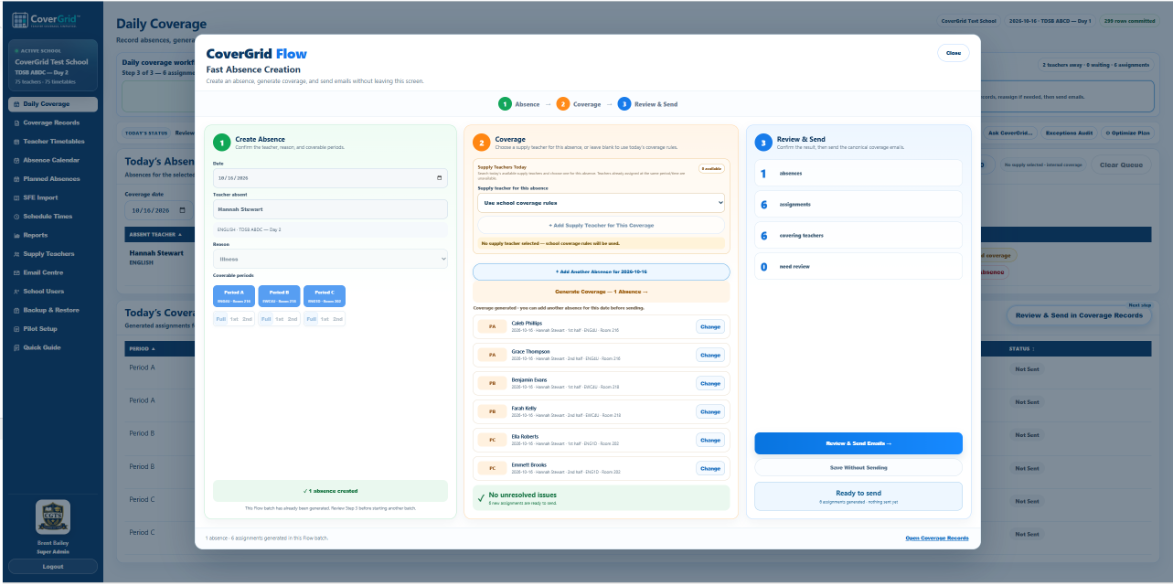
How CoverGrid handles a coverage day.

The goal is simple: move from absence to confirmed coverage with fewer manual steps and fewer missed details.

Enter the absence

Choose the absent teacher, date, and periods that require coverage.

Review coverage options

CoverGrid™ helps identify available staff based on timetable and workload.

Assign coverage

Confirm the coverage assignment and add any notes or instructions.

Track responses

See pending, accepted, and declined responses.

Review reports

Use coverage history and reports to understand workload, gaps, and trends.

Coverage reports administrators can actually use.

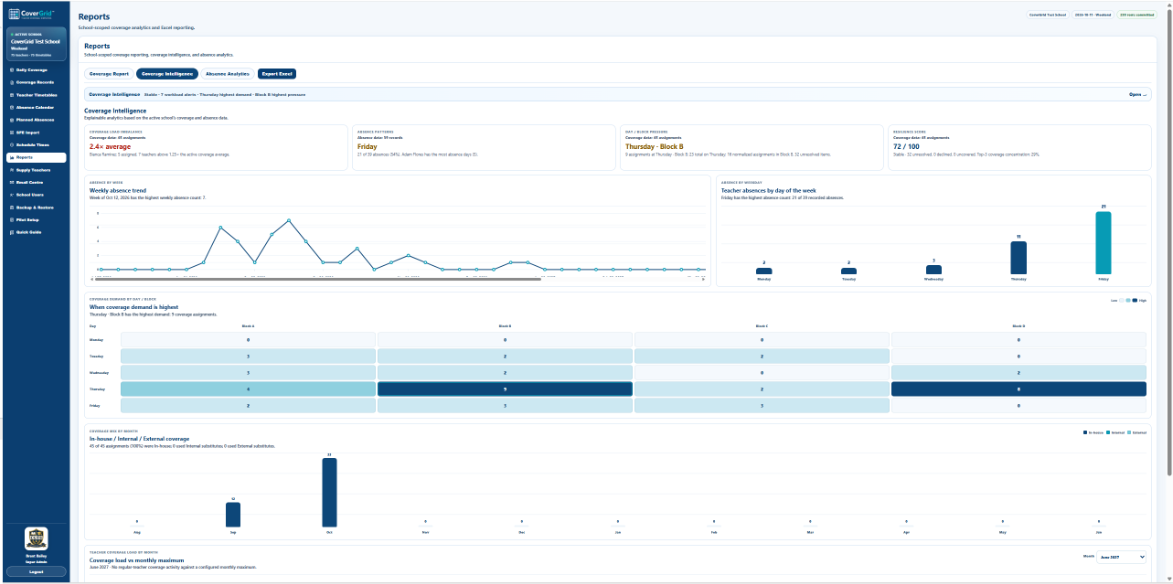
CoverGrid™ helps schools move beyond daily survival mode. Administrators can review coverage workload, absence patterns, uncovered assignments, and school-level trends to support better operational decisions.

Daily coverage summary

Review the day’s assignments, notes, pending responses, and uncovered coverage.

Teacher workload report

See coverage distribution and identify staff who may be overloaded.

Absence frequency report

Understand absence patterns by teacher, date range, or school.

Uncovered coverage report

Track periods that could not be covered and identify recurring pressure points.

School comparison report

Support multi-school review with clearer board-level visibility.

Executive summary

Turn daily coverage data into leadership-friendly operational summaries.

See the CoverGrid admin experience.

A real product screenshot helps administrators see the SaaS admin workflow before booking a demo.

CoverGrid™ SaaS Admin dashboard for managing schools, users, roles, and coverage reporting
SaaS Admin

Multi-school admin dashboard

Manage school access, user roles, demo environments, and board-level controls from a single web-based admin interface.

Simple to set up. Easy to pilot.

CoverGrid™ can be configured using existing school roster and timetable information, then adjusted to match local coverage rules.

1Import staff
2Import timetables
3Configure coverage rules
4Start assigning coverage

Designed for real school operations.

School and board buyers care about privacy, admin control, and operational reliability. CoverGrid™ is designed with those concerns in mind.

Role-based access

Support different views and responsibilities for school and board users.

School-specific data separation

Keep school data organized and scoped for the right users.

CSV import/export

Use existing roster and timetable data without starting from scratch.

Works across devices

Use CoverGrid™ on desktop, tablet, and mobile browsers.

No installation required

CoverGrid™ is web-based, making it easier to pilot and demonstrate.

Canadian school focus

Built around real K–12 school-office workflows and administrator needs.

No student data required

Standard CoverGrid™ coverage workflows use teacher, timetable, absence, and coverage data — not student personal information.

Teacher coverage software FAQ.

What is teacher coverage software?

Teacher coverage software helps schools assign staff to cover classes when teachers are absent. It can manage availability, timetables, assignments, response tracking, and coverage reports.

Can CoverGrid™ replace our teacher coverage spreadsheet?

Yes. CoverGrid™ is designed to replace manual coverage spreadsheets with a clearer workflow for assigning coverage, tracking responses, reviewing workload, and generating reports.

Does CoverGrid™ track accepted and declined coverage assignments?

Yes. CoverGrid™ can track pending, accepted, and declined coverage responses so administrators know which assignments are confirmed and which need follow-up.

Is CoverGrid™ for one school or multiple schools?

CoverGrid™ can support a single school and can also be structured for multi-school or board-level visibility.

Who uses CoverGrid™?

CoverGrid™ is designed for vice principals, school administrators, office staff, and board-level teams involved in teacher absence and coverage management.

Does CoverGrid™ require student information?

No. Standard CoverGrid™ coverage workflows use teacher, timetable, absence, and coverage data — not student personal information.

Ready to replace the morning coverage scramble?

See how CoverGrid™ can help your school assign teacher coverage faster, track responses more clearly, and reduce spreadsheet-based coverage work.

Book a 15-Minute CoverGrid™ Demo